Hey Guys,
Love AIPRM,
Can you guys come out with a video/guide on how to create a ‘Private Custom Writing Tone’ & ‘Private Custom Writing Style’ based on our own personal data?
I am not a coder, just a simple Pleb.
It would be fantastic if you could help the non developers on how to do this.
I have AIPRM Pro.
Thanks for your time and efforts.
We don’t have a video yet, so here’s a quick step by step
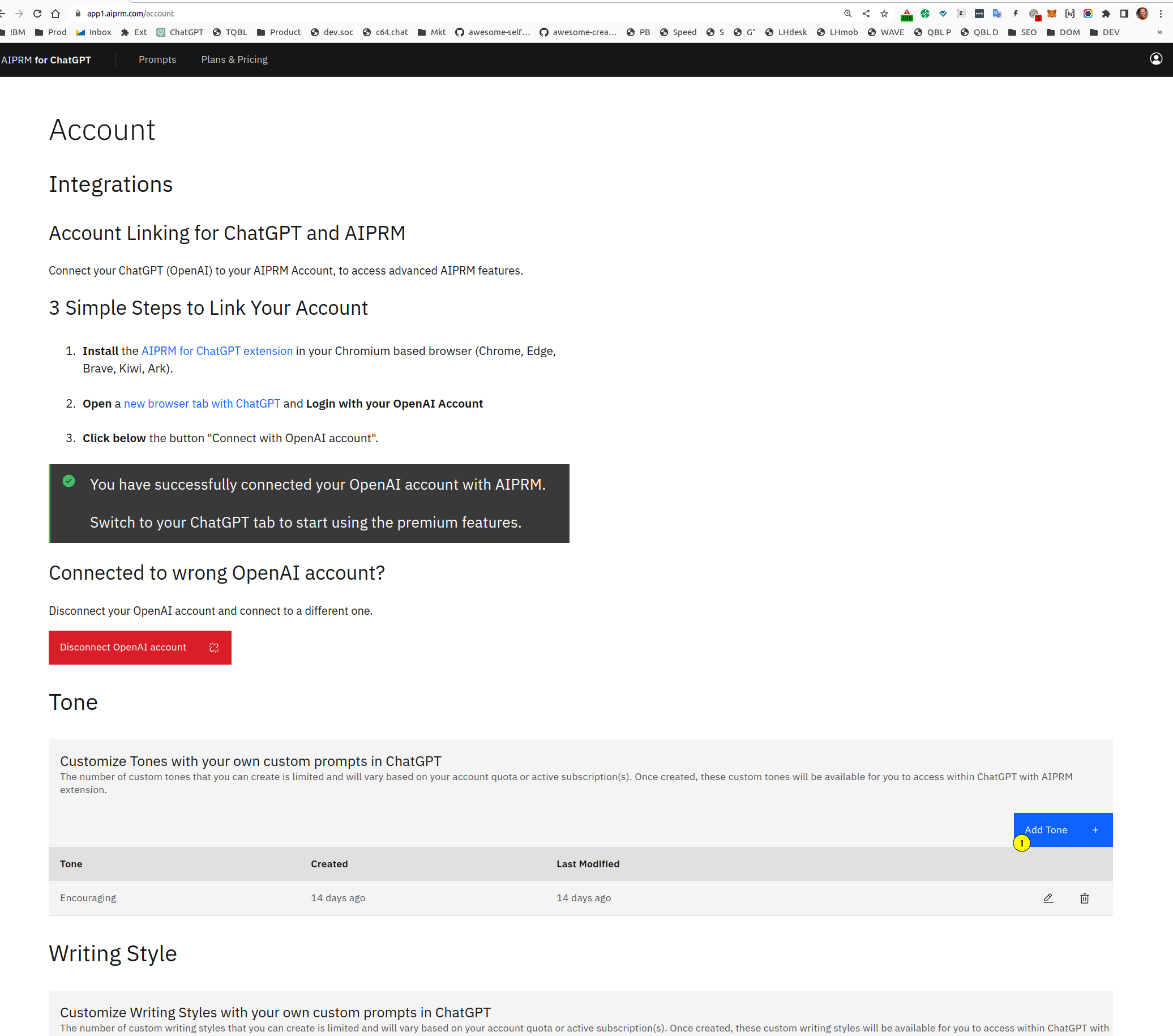
go here
https://app1.aiprm.com/account
1/ Click “Add Tone+”
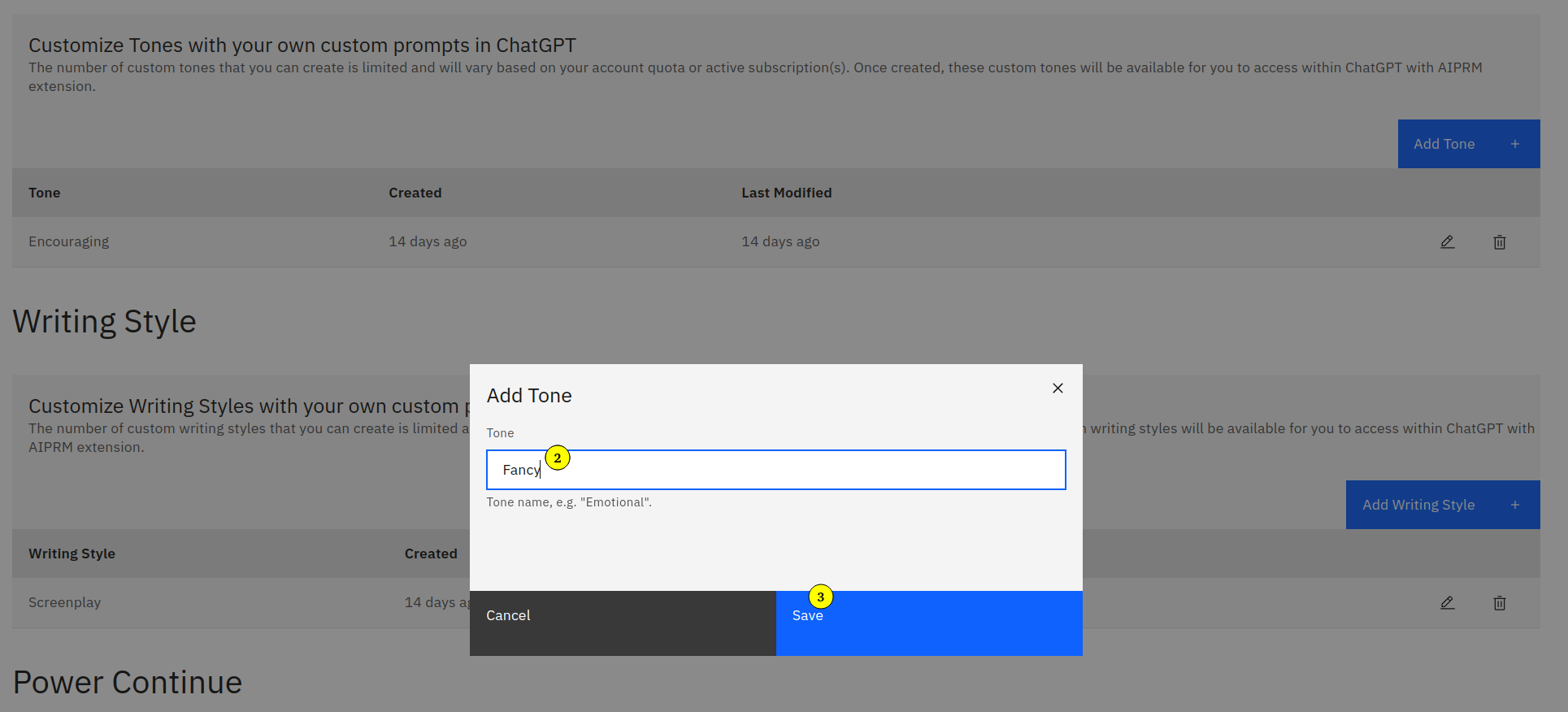
2/ Enter a new Tone
3/ Click save
It works just like that for all custom sub prompts
1 Like
Thank you, I’ve gotten this far, but how do you edit or enter the tone information?
You can either add a custom writing style and tone by following this tutorial:
https://www.aiprm.com/tutorials/get-premium-tools/how-to-add-a-custom-tone-or-writing-style/
Or incorporate more details in your custom profile:
May we ask if you have already read through the tutorials from the links provided above?
If so, please clarify which topic would you like us to explain further.
Here is a video tutorial on how you can add custom tones and writing styles in AIPRM:
We also have a video tutorial on creating a custom profile and how to use it to generate more customized content:
Sometimes it is difficult to select the tone you want until you don’t know the exact style and tone a author is using based on the personal data, So to find that you can use this prompt and add it in the aiprm tone window as per your choice, As explained in previous comments
Here is the link